AI Experiments
Security Warning: API keys are stored in browser and can be stolen by malicious patches you open. Use a separate API key with strict budget limits. Never load patches from strangers when an API key is set!
Caution: These features are experimental and may corrupt your patches. Try them on a new patch or backup your patches & objects.
Hide AI Features
AI is 100% optional and opt-in with Patchies. Dislike AI? Hit Ctrl/Cmd + K then Toggle AI Features. This permanently turns all AI-based nodes and AI generation features off.
Create and Edit Objects with AI
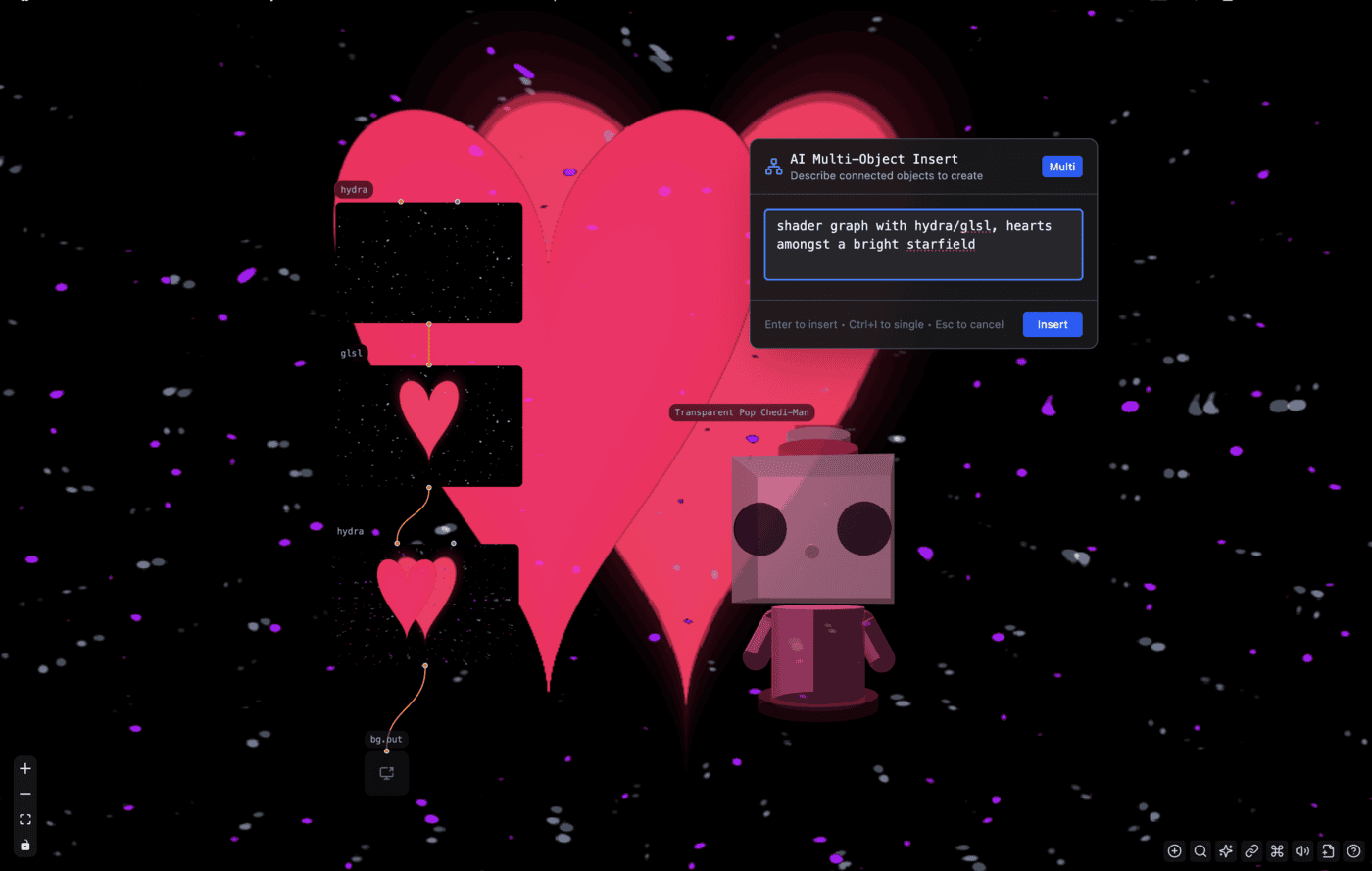
✨ Try this patch where AI generates a shader graph of starfield with hearts!
Press Ctrl/Cmd + I to open the object insert/edit prompt. Describe what you want to create in natural language, and the AI will generate or edit the appropriate objects with code for you.
Modes
When the AI object insert prompt is open, press Ctrl/Cmd + I again to switch between modes:
- Single Insert Mode (no object selected): Create a single object at your cursor position
- Multi Insert Mode (no object selected): Create multiple connected objects at your cursor position
- Edit Mode (object selected): Modify the selected object's code based on your description
Setup
- Create a separate API key that has strict budget limits
- Press
Ctrl/Cmd + I - Enter your API Key and hit
Save & Continue - Use
Ctrl/Cmd + Ior the sparkles button on the bottom right to generate
This feature uses the gemini-3-flash-preview model to understand your prompt and generate the object configuration.
Patch to App
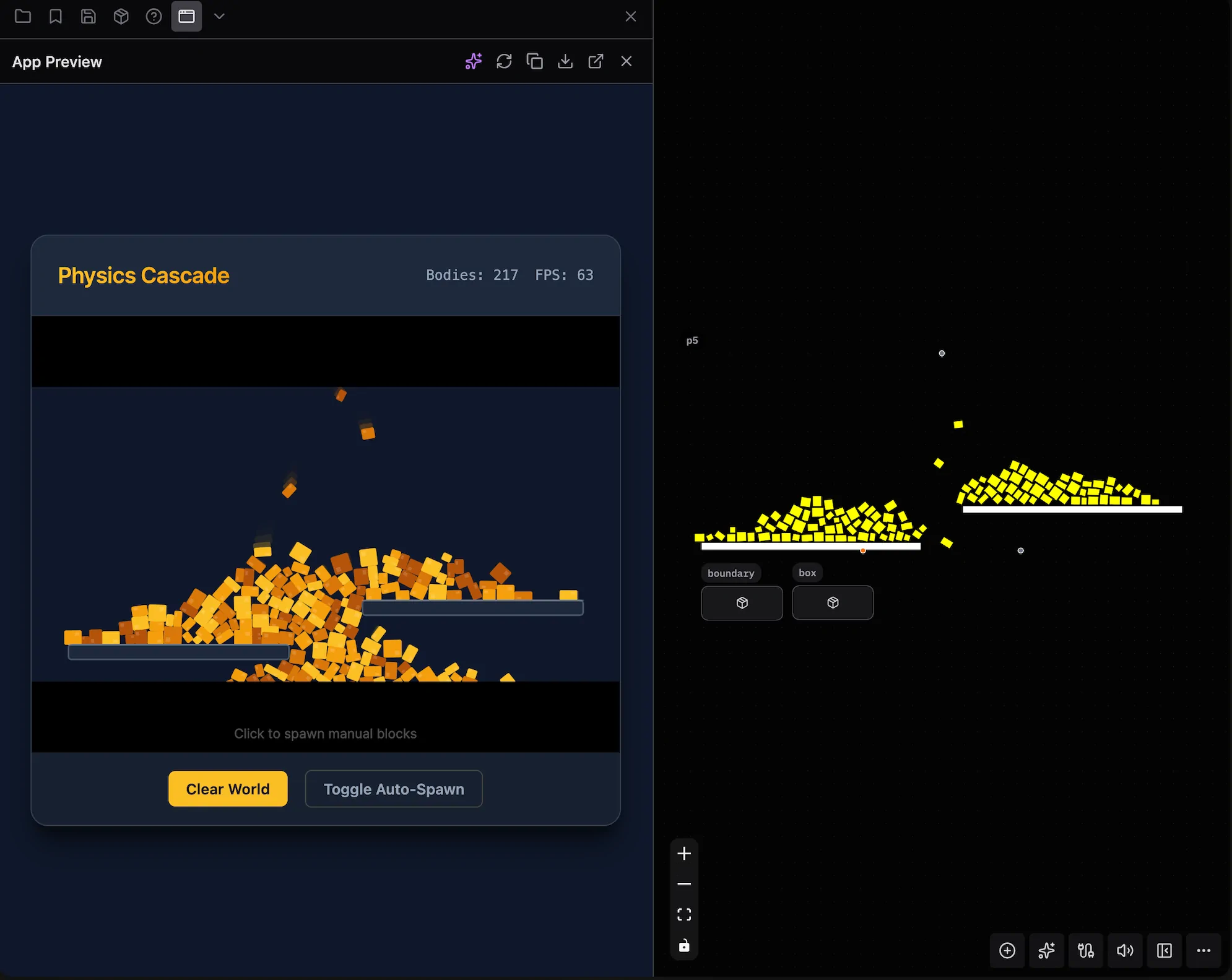
Convert your patch into a standalone HTML application. This feature analyzes your patch's nodes, connections, and code to generate a self-contained app.
How to Use
- Press
Ctrl/Cmd + K > Patch to App. Alternatively, use the expand button on the sidebar and select "Patch to App" - Optionally describe what you want to build in the steering prompt (e.g., "Simple HTML page with sliders, dark theme")
- Choose one of:
- Copy Spec - Copy the spec to use with other AI tools
- Generate App - Generate and the app directly in Patchies
Refine with AI
Check the "Refine spec with AI" option for better results. This uses AI to improve the specification before generating, making the output more accurate (but slower).
App Preview
After generating, the app appears in the sidebar preview tab where you can:
- View the live preview in an embedded iframe
- Describe changes in natural language (e.g., "Make the background gradient", "Add a reset button")
- Reload the preview
- Export the HTML or Markdown specification
- View the app full-screen
Tips
- Use the 🎲 button to get random example prompts for inspiration
- Edit the generated spec manually before generating if needed
- The "Refine first" option is slower but produces better results
- You can iterate on the generated app using AI Edit without regenerating from scratch
Objects using AI
These objects use AI to generate content within your patch:
- ai.txt - Generate text using AI
- ai.img - Generate images using AI
- ai.tts - Text-to-speech synthesis
- ai.music - Generate music using AI