Saves
The Saves panel lets you manage locally saved patches.
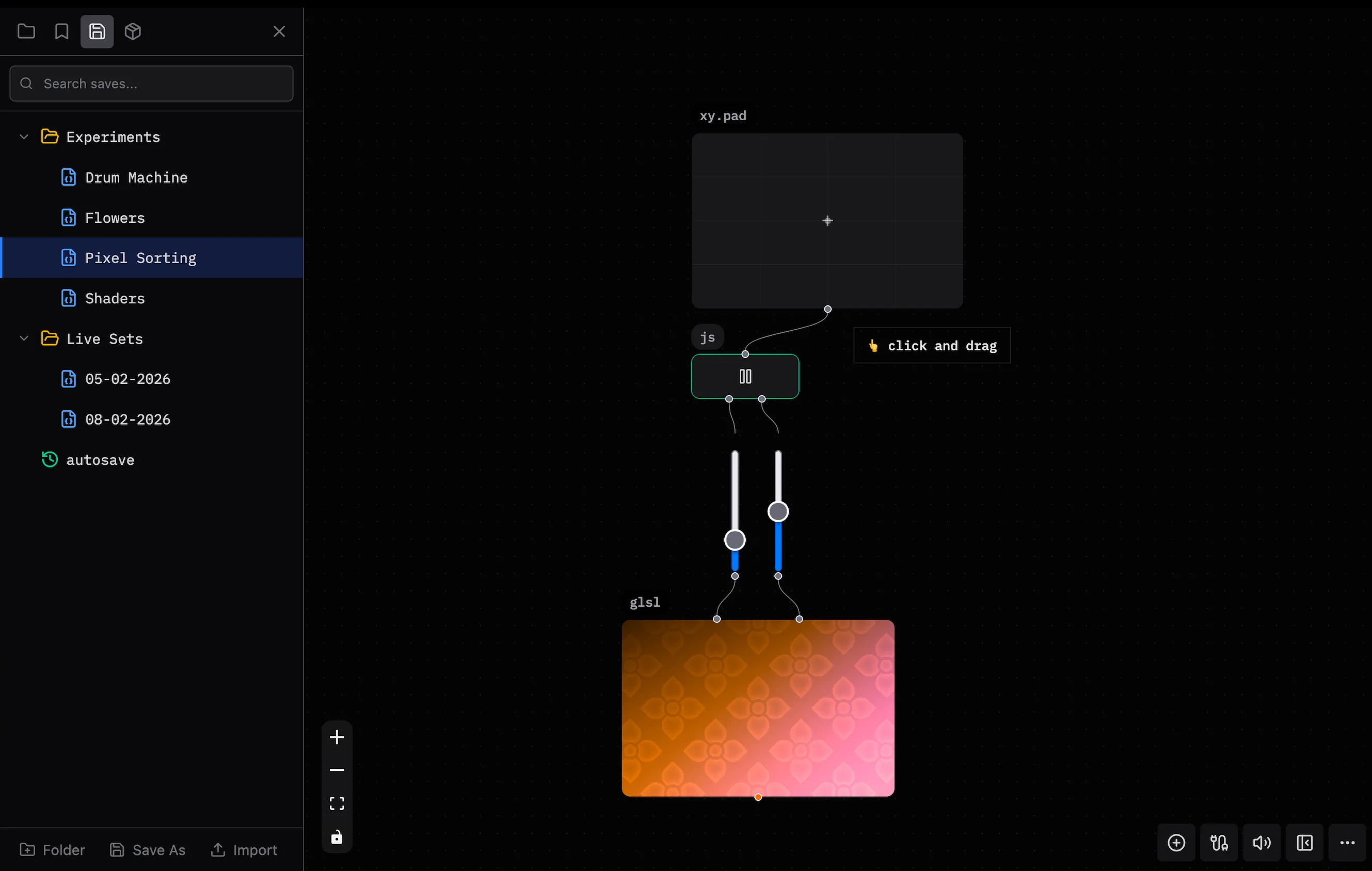
Open the Saves panel from the sidebar.
Open the Saves Panel
Press Ctrl/Cmd + B > Saves.
Organization
Use folders to organize saves. Filter saves by name.
- Hover over a save to load, rename, or delete it.
- Right-click a save or folder to open its context menu.
Folder Actions
The folder context menu lets you:
- Create a subfolder.
- Move a folder.
- Rename a folder.
- Delete a folder.
Save Actions
The save context menu lets you:
- Load a save.
- Share a link.
- Export a save as JSON.
- Move a save.
- Rename a save.
- Delete a save.
Bottom Bar
Use the bottom bar to:
- Create a new folder.
- Save the patch as a new save.
- Import a patch from a JSON file.
Keyboard Shortcuts
| Action | Shortcut |
|---|---|
| Save patch | Ctrl/Cmd + S |
| Save as | Ctrl/Cmd + Shift + S |
| New patch | Ctrl/Cmd + N |
See Also
- Sharing Links — Share a patch with a URL.
- Demos — Open and change example patches.