Introduction
Patchies is a creative coding patcher where you write small programs using the tools and libraries that you already know, and patch them together to make something interesting.
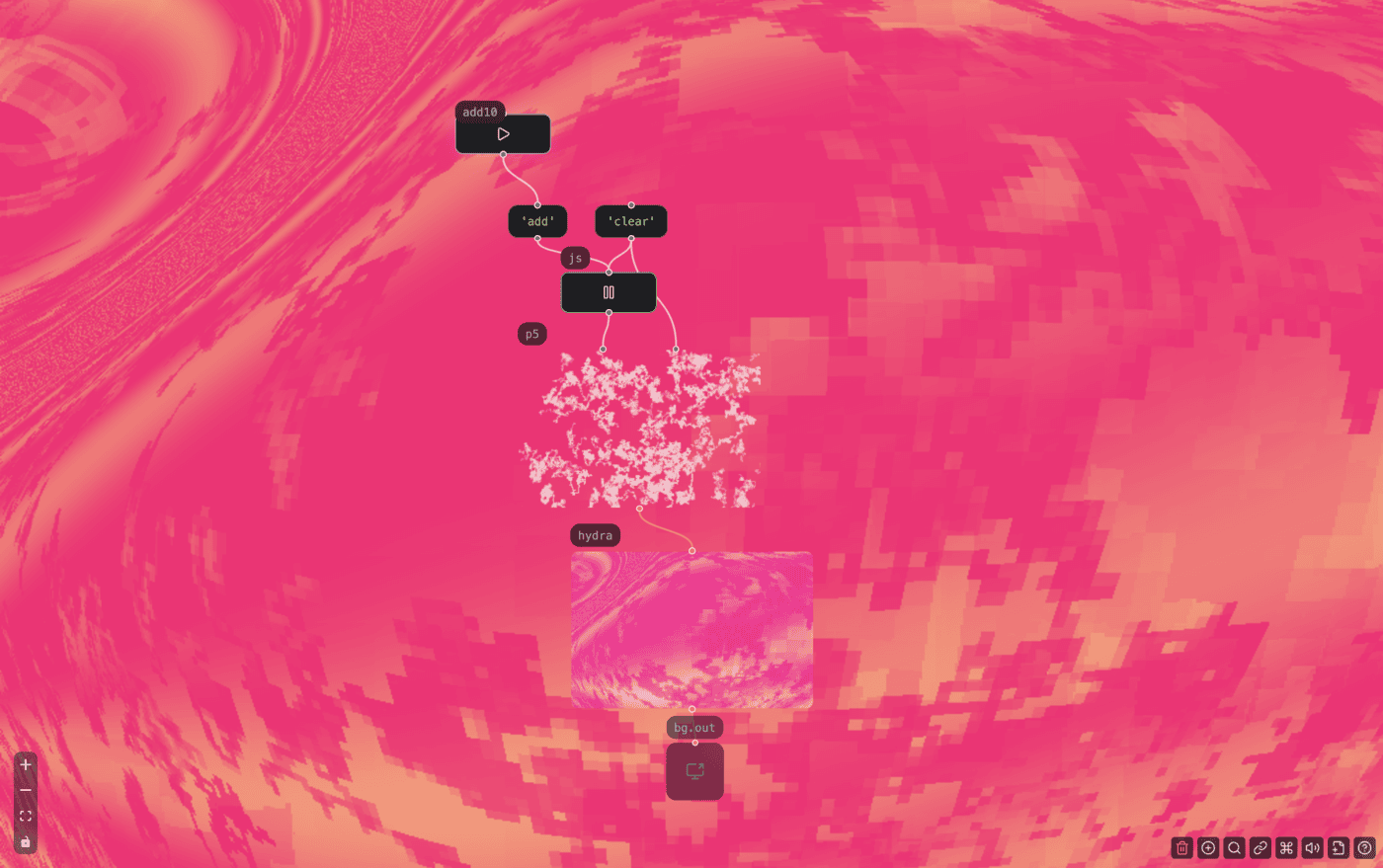
✨ Try this patch — It uses P5.js with Hydra to create a random walk shader.
It's a playground where you can make interactive widgets, craft synthesizers, simulate biology and physics, design audio-reactive visuals, compose shader graphs, and connect all of them together.
It's all running on the web, no installation needed.
Prefer to watch a video? Check out this walkthrough on YouTube.
What can I make?
Patchies lets you use audio, visual and computational tools and libraries that you know and love, together in one place. For example:
- Make interactive graphics and widgets with P5.js, HTML5 Canvas, Three.js and Textmode.js
- Synthesize videos with Hydra, GLSL shaders, and Shader Park
- Make music from code with Strudel, Orca, Bytebeat, ChucK, SuperSonic and Csound
- Design sounds with Pure Data-style objects, Tone.js and Elementary Audio
- Build and run tiny programs & games on the Uxn virtual machine.
- Compute like an ancient witch with Stack Assembly and Uiua, or like a wizard with Ruby and Python
- Reach out to outside world with MIDI, MQTT, SSE, WebRTC, Iframe and VDO.Ninja.
- Manage data and control flow with js, expr, filter, map, iframe, spigot, trigger and more.
- Craft widgets with Vue.js, DOM API, Tailwind or any library you like.
- Use any third party JavaScript library via esm.sh.
What is patching?
Patchies lets you write small blocks of code and patch them together.
Patching is a visual way to program by connecting objects together. Each object does something e.g. generate sound, generate visual, compute some values. You then chain their messages, audio output, video output together to build up a larger program.
This is heavily inspired by the actor model, as well as software like TouchDesigner, Pure Data and Max/MSP.
See Also
- Demos - Open examples you can inspect and change.
- Collections - Choose what kind of objects you want in your patch.
- Adding Objects - Add programs and presets to a patch.
- Connecting Objects - Connect objects into a larger program.
- Message Passing - Learn how objects send data to each other.