Data Types
Every Patchies handle has a type: video, audio, message, or analysis. Its color shows the type. Connect only compatible handle types.
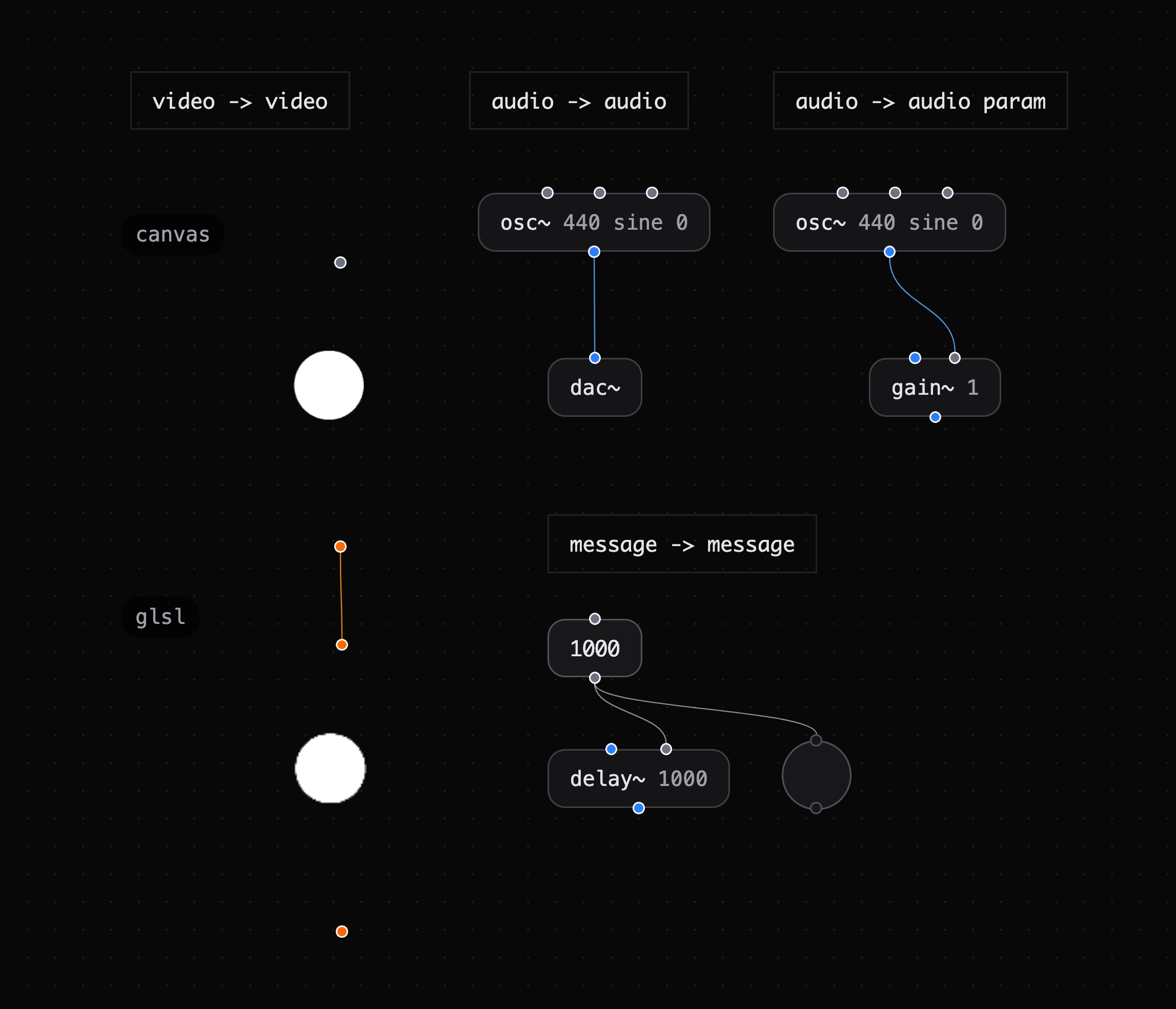
The handle colors show which connections are valid.
Handle Colors
| Color | Type | Used for |
|---|---|---|
| Orange | Video | Visual frames between visual objects |
| Blue | Audio | Audio signals between ~ objects |
| Gray | Message | Numbers, strings, bangs, and custom data |
| Purple | Analysis | FFT frequency data from fft~ |
Basic Rules
- Multiple connections — One outlet can feed many inlets. One inlet can receive from many outlets.
- Video (orange) — Connect only to video inlets.
- Audio (blue) — Connect to audio inlets and audio parameter inlets.
- Message (gray) — Connect to message inlets and float-accepting signal inlets.
- Analysis (purple) — Data from
fft~connects to message and video inlets.
Audio Parameter Modulation
Some audio object inlets are audio parameters, not raw signal inlets. For example, osc~ frequency and gain~ gain are audio parameters. They accept message and audio signals.
Use another oscillator to modulate an audio parameter:
[osc~ 2] ──► [osc~ 440].frequency (2 Hz wobble on the pitch)
Tip: When you drag from a blue audio outlet, compatible audio parameter inlets change from gray to blue.
Float-to-Signal Inlets
Some signal inlets accept a float to set a constant value. This follows a Pure Data pattern. Arithmetic objects +~, *~, -~, and /~ support this. Comparison objects >~, <~, min~, and max~ also support it.
[msg 0.5] ──► [*~ ].inlet 1 (sets the multiplier to 0.5)
Connect a message outlet or an audio outlet to these inlets:
- Sending a float sets the constant if no audio signal is connected.
- You can also set the constant as a creation argument.
*~ 0.5multiplies by 0.5 from the start.
See Also
- Connecting Objects — Connect compatible objects.
- Audio Chaining — Connect audio objects.
- Video Chaining — Connect visual objects.