Audio Reactivity
Use the fft~ audio object to get frequency-bin arrays for visualizations in a patch.
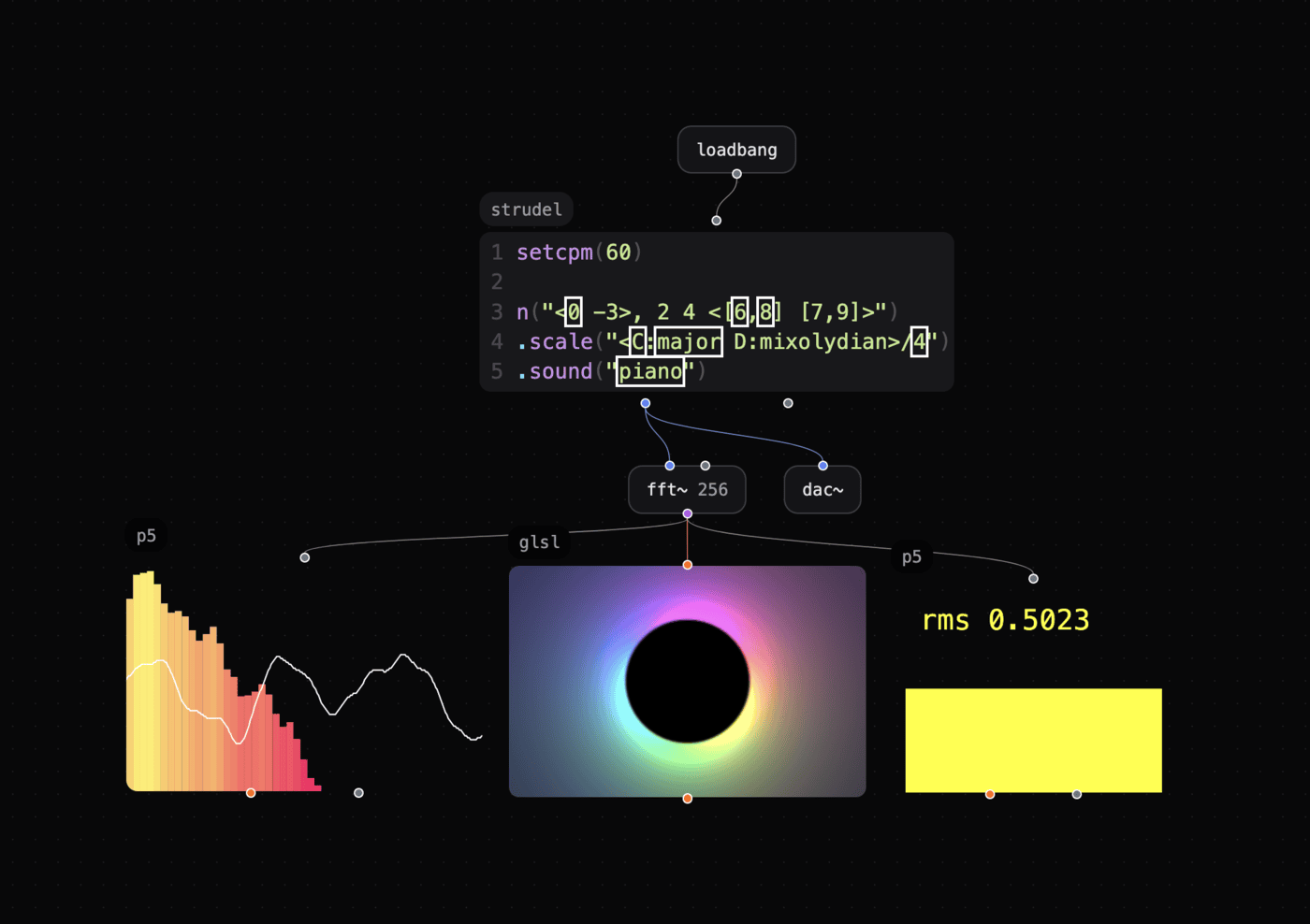
This patch uses audio data to control its visuals.
✨ Try this patch with audio-reactive visuals!
Getting Started
- Create an
fft~object with a bin size, for examplefft~ 1024. - Connect its purple analyzer outlet to a visual-object inlet.
glsl supports this connection. Objects that use the JavaScript Runner, such as canvas.dom and hydra, also support it.
Usage with GLSL
- Create a
sampler2DGLSL uniform inlet. - Connect the
fft~purple analyzer outlet to the inlet. - Try the
FFT Frequency GLandFFT Waveform GLpresets.
For waveform analysis instead of frequency analysis, name the uniform exactly uniform sampler2D waveTexture;.
Usage with JavaScript Objects
Call fft() to get audio-analysis data:
// Frequency spectrum
fft({ type: 'freq' })

// Waveform (default)
fft()  // or fft({ type: 'wave' })
Important: Patchies does not use the standard Hydra or P5.js audio APIs. Use
fft()instead.
FFTAnalysis Properties
fft() returns an FFTAnalysis instance:
| Property/Method | Description |
|---|---|
fft().a |
Raw bins in a Uint8Array. |
fft().f |
Normalized bins in a Float32Array, from 0 to 1. |
fft().rms |
RMS amplitude from 0 to 1. It uses the time-domain signal for wave mode and spectral energy for freq mode. |
fft().avg |
Average level. |
fft().centroid |
Spectral centroid. |
fft().getEnergy('bass') |
Energy in a frequency range, from 0 to 1. |
Use these frequency ranges: bass, lowMid, mid, highMid, and treble.
For a custom range, use fft().getEnergy(40, 200).
Where to Call fft()
- p5: Call it in
draw. - canvas/canvas.dom: Call it in a
requestAnimationFramecallback. - js: Call it in
setIntervalorrequestAnimationFrame. - hydra: Call it in arrow functions for dynamic parameters.
// Hydra example
let a = () => fft().getEnergy("bass");
osc(10, 0, () => a() * 4).out()
Presets
fft.hydra— A Hydra audio visualization.fft.p5,fft-sm.p5,rms.p5— P5.js visualizations.fft.canvas— A canvas visualization that usescanvas.dom.
Performance Tips
- Use
canvas.domorp5for immediate FFT response. - Worker-based
canvashas a short delay but improves video-chaining performance.
Converting Existing Code
From Hydra
- osc(10, 0, () => a.fft[0]*4)
+ osc(10, 0, () => fft().f[0]*4)
  .out()
- Replace
a.fft[0]withfft().a[0]for integers from 0 to 255. Usefft().f[0]for floats from 0 to 1. - Instead of
a.setBins(32), set the bin count in thefft~object:fft~ 32.
From P5.js
| P5.js | Patchies |
|---|---|
p5.Amplitude |
fft().rms |
p5.FFT |
fft() |
fft.analyze() |
(not needed) |
fft.waveform() |
fft({ format: 'float' }).a |
fft.getEnergy('bass') |
fft().getEnergy('bass') |
fft.getCentroid() |
fft().centroid |
See Also
- JavaScript Runner — Use the JavaScript API.
- Video Chaining — Connect visual objects.
- Rendering Pipeline — Learn about rendering performance.
- env~ — Follow audio loudness with an envelope.
- tap~ — Send waveform frames as messages to custom visualizers.
- scope~ — Show an audio waveform.
- meter~ — Show an audio level.