Samples
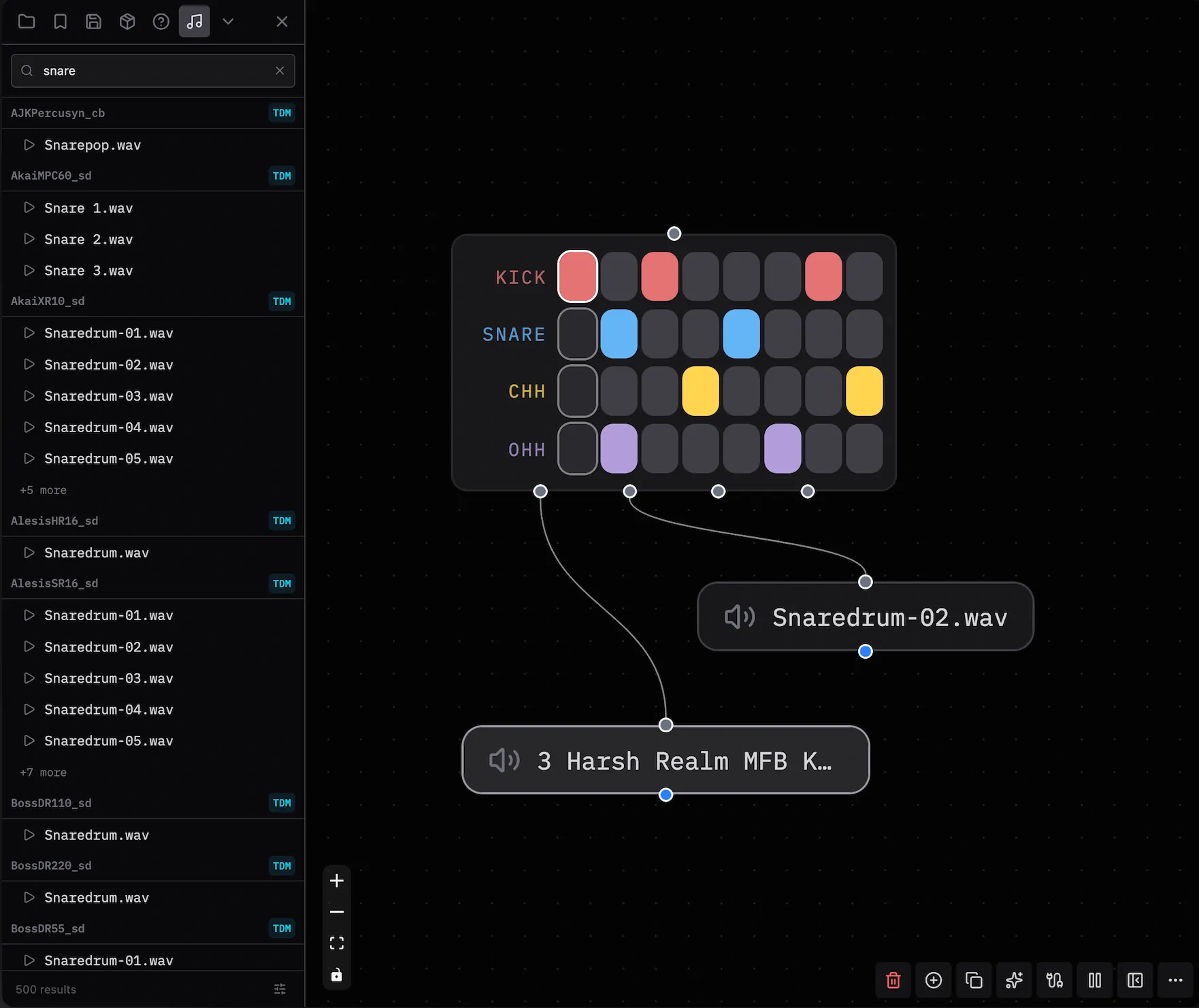
The Samples panel lets you search and preview audio samples from open-source libraries. You can add a sample to a patch.
- Open the sidebar with
Ctrl/Cmd + B. - Select the expand button at the far right.
- Select Samples with the music icon.
Searching
Type in the search bar to filter samples by name or category. The panel groups results by category and updates them as you type.
- Select the play button next to a sample to preview it.
- Select the button again, or select another sample, to stop playback.
- Drag a result row to the canvas to create a node with that sample URL.
Filtering Sources
Select the filter icon in the bottom-right corner of the panel to enable or disable sample libraries.
Sample Libraries
| Badge | Library | Author |
|---|---|---|
| TDM | Tidal Drum Machines | geikha |
| DS | Dough Samples | felixroos |
| SPC | Spicule | yaxu |
| CLN | Clean Breaks | yaxu |
| EST | Estuary Samples | felixroos |
| FOX | Dough Fox | Bubobubobubobubo |
| AMN | Dough Amen | Bubobubobubobubo |
| AMG | Dough Amiga | Bubobubobubobubo |
| DBB | Dough Samples (Bubo) | Bubobubobubobubo |
| EF | Emptyflash Samples | emptyflash |
| SCS | SuperSonic Samples | Sam Aaron |
| SCD | SuperSonic SynthDefs | Sam Aaron |
| FS | Freesound | community |
Patchies gets most libraries from their public GitHub repositories.
The Freesound library uses the Freesound API. Results change with your search query and the current Freesound database.
See Also
- Adding Objects — Add objects to a patch.
- Virtual Filesystem — Manage files in a patch.